> For the complete documentation index, see [llms.txt](https://ajuda.financeiro.app/llms.txt). Markdown versions of documentation pages are available by appending `.md` to page URLs; this page is available as [Markdown](https://ajuda.financeiro.app/guia-completo/financeiro/como-visualizar-o-relatorio-por-categorias-de-receitas-e-despesas.md).
# Como visualizar o relatório por categorias de receitas e despesas
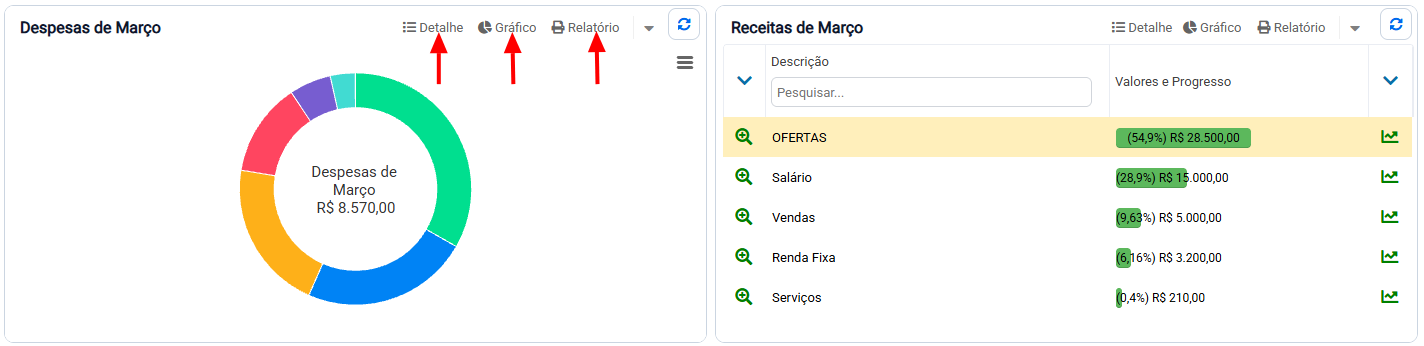
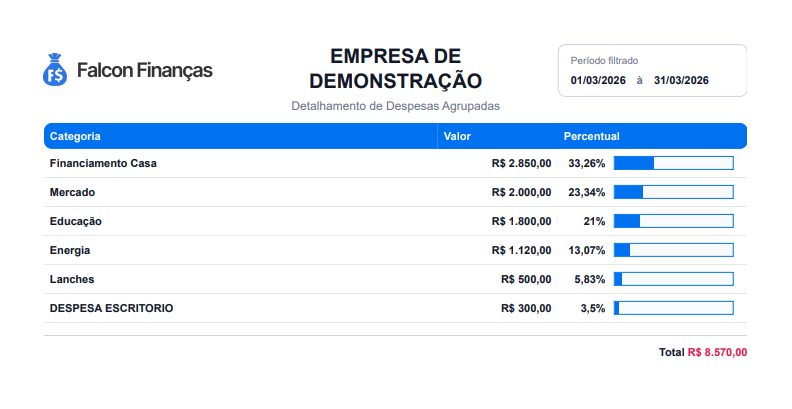
Para visualizar o relatório de categorias com informações detalhadas, incluindo o percentual de cada categoria, acesse o **Dashboard Principal**. Nos gráficos de categorias de receitas e despesas, clique em **Relatório**.
{% hint style="info" %}
Caso você esteja utilizando o controle por Centro de Custo os relatórios também estarão disponíveis para geração.
{% endhint %}